Top 6 Video Editing Softwares for Beginners & Pros in 2025
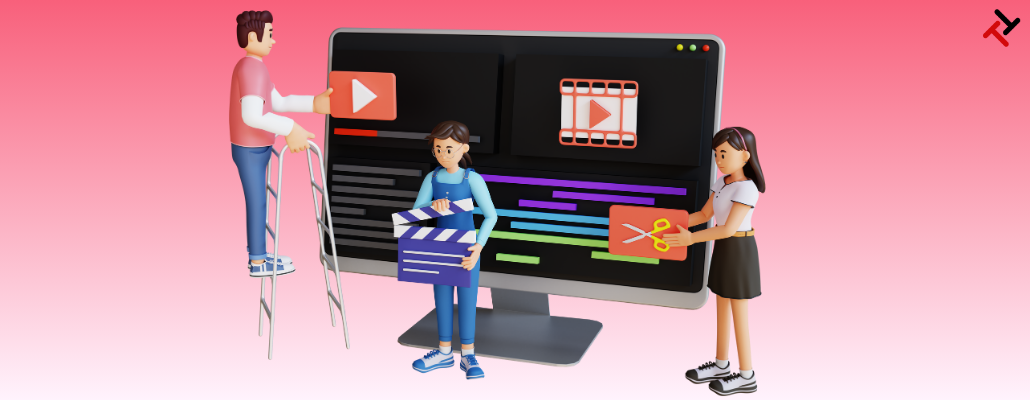
The world is a social media world and post or video editing is the basic requirement to display the best content in front of the audience. Who doesn't want to edit the content to excellence and brilliance so that the audience can engage more? We all do. The right solution is good video editing software. Video editing has become a high-demand skill and marketers are searching for a solution that can help them edit videos in seconds.
There are best video editing softwares in market that deliver excellent quality videos and can be used by both beginners and professionals. In this blog, we discuss the best video editing softwares mostly used in 2025. Let’s talk straight away!
Top 6 Trending Video Editing Software for Beginners and Professionals in 2025
We shortlist some of the Video Editing Software for professionals and beginners as follows.
-
Invideo AI
-
Canva
-
Adobe Premier Pro
-
Clipchamp
-
Kapwing
-
Wondershare Filmora
Let’s talk about these best video editing Softwares one by one.
1. Invideo AI
Invideo AI is a future-proof video editing and creation platform that turns words and concepts into videos in minutes. Create pro-level business and brand videos with simplicity using simple drag-and-drop functionality. Transfer videos from any device to Invideo Studio and create awesome and engaging videos in minutes without any skills.
This platform provides a user-friendly interface to operate professional editing features making it the finest platform for everyone.
Why Invideo AI
-
Thousands of editable marketing video templates to start video editing in a second.
-
Auto text-to-voice capability to create natural voiceovers.
-
Add cinematic video effects like lens flare, bokeh blur, and flashback to create dramatic visuals.
-
Access to premium stock footage, images, and music from story blocks, iStock and Shutterstock.
2. Canva
Canva is the best business-level video editing software that enables you to create engaging videos through an easy-to-use drag-and-drop interface. Whether you are editing professional or personal videos you can start creating and sharing videos in minutes and it is completely compatible with all devices. You can even schedule your videos to post using the content calendar and share them on Instagram Stories, Reels, Facebook Stories, and TikTok. It is the most recommendable video editing software for beginners who have no editing creativity.
Canva Features
-
Bring your design ideas to life with Magic Design and get videos done in seconds.
-
Easy preview and download feature to share as an MP4 or link or post on your socials without watermarks.
-
Easy access to editable templates and free stock video, images, and graphics library to begin instantly.
3. Adobe
Adobe Premiere Pro is one of the best video editing softwares that enables making quality videos easily, editing, and publishing various forms of media content. With just a few simple clicks, you can bring your greatest ideas to life and accelerate your workflow with AI. It has an effortless and unified way to create quality videos with amazing images, stop-scrolling videos, and text effects from a single dashboard. But, Adobe Premier Pro is Video Editing Software for professionals only, this is not a tool for beginners.
Why Use Adobe
-
Premiere Pro video editor to create pro-grade videos.
-
Integrated AI Adobe Sensei to auto-fill content, reframe videos or apply neural filters to make complex editing easy and increase creativity.
-
Access to thousands of template presets, and stock image assets that fit any creative projects on the go.
4. Clipchamp
Clipchamp is perhaps the best video editing software to have everything needed to edit and create mind-shaking videos with no expertise involved. This software carries AI features for auto-captioning, text-to-speech, speech-to-text, and even automatically cutting off unwanted sections in minutes.
Clipchamp is not only compatible with every device but also provides you with the liberty to use the software as an in-browser application, desktop application, or mobile application. It is also recommended as one of the best PC video editing software for professionals.
Clipchamp's Features
-
Create automatic, accurate video captions in 80+ global languages.
-
Edit and upload high-definition (1080p) videos ideal for social media, professional use, and online education.
-
Access royalty-free stock media components like templates, text, graphics, and beyond.
5. Kapwing
Kapwing is the perfect YouTube video editing tool that offers tools and features to produce high-quality videos within a short time. This tool offers easy-to-use drag-and-drop elements and AI functions for smooth editing to provide next-gen videos to curious viewers.
Start with easy signup and upload a video file or enter a URL link into the studio to start editing. The system is smooth sailing even without expert editing know-how.
Why use Kapwing?
-
Make videos with simple prompts or by uploading documents, scripts, and articles as references and get videos edited or made within minutes.
-
Studio-quality AI voices for seamless audio dubbing, advanced voice cloning
-
Multiple languages like Chinese, Spanish, Hindi, and French are automatically translated as subtitles.
6. Wondershare Filmora
Filmora is the best video editing software that lets you turn your videos into masterpieces with the simplest drag-and-drop interface and rich editing functionality. With its numerous features available, it's simple to produce videos in a step-by-step format. Filmora has a cutting-edge range of AI editing features that allow you to create quality videos smartly with cutout, stretch, and reframe features.
Wondershare Filmora Features Include
-
Auto syncing to quickly sync audio and video to offer high-quality sound.
-
Huge built-in free stock media, and incredible video effects to make best-looking videos with just a click.
-
Preset templates, creative assets, instant mode, and eye-popping plugins to create studio-quality videos from scratch.
Great videos aren’t just filmed, they’re crafted. Tangent Technologies provides top-notch video editing and graphic designing services to businesses. Our editing experts add the perfect blend of effects, music, and motion to make your content stand out.
Let’s create something stunning.
Connect with Tangent Technologies now.
Conclusion
Once you have the right editing software for the job, nothing can stand in your way of achieving your objective. In this blog, we enlisted highly reputed video editing Software for beginners and professionals as well. Best of luck with the editing journey. Let’s cut the noise and create the magic.
FAQ’s
1. What are the 3 top choices for professional video editing in 2025?
Following can be 3 top choices for expert-level video editors.
-
Adobe Premiere Pro
-
Wondershare Filmora
-
ClipChamp
2. What is the best file format for exporting a video?
The best video file format for exporting videos is MP4. So when you look for a video editing tool, make sure that it supports MP4 files.
3. What features should a good video editing software have?
-
Ease of use – A beginner-friendly interface if you're new
-
Advanced tools – Multi-layer editing, keyframing, effects
-
Export options – Support for high-resolution formats
-
Performance – Fast rendering and smooth playback
-
Cost – Free vs. paid versions with extra features
4. Do I need advanced skills to start video editing?
No, you don't need advanced editing skills to start editing with most of the video editing software available today. They provide an easy-to-use interface and automated editing options to help you edit in minutes with just a few clicks.